Vinyl Cutting: Difference between revisions
Jump to navigation
Jump to search
| Line 162: | Line 162: | ||
:Note that we have a Slack channel (#job-board) for members to post, discuss, or accept job opportunities either within PPM or from the community. | :Note that we have a Slack channel (#job-board) for members to post, discuss, or accept job opportunities either within PPM or from the community. | ||
{{Template:Footer}} | {{Template:Footer}} | ||
{{Template:Ideas into reality}} | {{Template:Ideas into reality}} | ||
<p style="padding:0.2em 0.4em; background:#D0DD27; color:#FFFFFF; font-size:15%;"> </p> | <p style="padding:0.2em 0.4em; background:#D0DD27; color:#FFFFFF; font-size:15%;"> </p> | ||
[[Category:Hardware]] | [[Category:Hardware]] | ||
<!--Woodshop--> | <!--Woodshop--> | ||
Revision as of 18:59, 12 May 2024

The Vinyl Cutting Area at Pikes Peak Makerspace (PPM) consists mostly of Level 2 equipment.
Additional PPM training is required to use any of our Level 2 equipment.
Contact Us if you cannot find your answer here on our Wiki or if you notice any outdated information.
New Member Orientation
Classes and Training
Area Leader — LaNita
- To help out with the Vinyl Cutter, post your ideas and comments on our Slack channel #vinyl-cutter.
Classes
- PPM announces its Upcoming events, including classes, on Meetup
Training
- - Pick the small Application Launcher button from CorelDRAW, and then "Send Cut Lines to CM3".
- - If you receive a no Media Error, and your job pauses, try pressing ENTER to override the sensor and continue your cutting.
- - Some vinyl materials contain PVC. Do not use these on either of our laser engravers.
- (e.g. Oracal ORAMASK 813 Stencil Film and Con-Tact brand paper)
-
 Vinyl Cutter
Overview and Instructions.pdf
Links to external sites:
- CE6000 Series Video Training
- Cricut craft cutter — "Learn from the pros."
- Silhouette craft cutter — Get Started/Tutorials/Videos
Tips
- The vinyl cutting PC is not a design workstation. Please limit the use of the station to cutting only.
Equipment Lists
24" Graphtec cutter
| Picture | Item | Manufacturer | Model | Reference Materials |

|
24" Cutting Plotter |
Graphtec | CE5000‑60 | manual |
Vinyl Cutting Computer
| Picture | Item | Application Software |
Manufacturer/ Model |
System Software |
 |
PC | Cutting Master 3, | HP
h8-1117c |
Microsoft
Windows 10 Pro |
| monitor | Dell
1905FP |
|||
| wired mouse | Amazon | |||
| wired keyboard | Dell | |||
Hand Tools
- Return all tools to their proper location after use. This rule applies to all areas of our Makerspace.
- Pikes Peak Makerspace is a 501(c)(3) non-profit organization, so we can provide a receipt for any donations you make.
Benefits
- PPM members enjoy discounts at the following local merchants:
- (bring proof of PPM membership)
| Website | Benefit | Address |
|---|---|---|
| Woodcraft of Colorado Springs | 10% discount | 4438 Austin Bluffs Parkway |
| CO Lumber Specialties | 10% discount | 3636 Stone Avenue |
| GENERAL AIR | 10% discount | 3031 N Nevada Ave. |
| ACE Hardware Uintah Gardens | 10% discount | 1830 W Uintah Street |
Policies
Materials
- Donate for "Vinyl Stickers and R Tape" via PayPal: bit.ly/ppmstuff
- Or, leave donations in a black payment box, or use a QR code.
- Some vinyl materials contain PVC. Do not use these on either of our laser engravers.
- (e.g. Oracal ORAMASK 813 Stencil Film and Con-Tact brand paper
Red Tags
- If equipment needs repairs, place a Red Tag on it and report it via the Pikes Peak Makerspace Slack channel #red-tag-issues
- This advises others on the malfunctioning equipment and ensures that actions can be taken to service/repair the equipment.
Related Software
Links to other PPM Wiki pages:
Member Showcase
-
Round PCB PPM clock
(February 2020) -
 Outdoor window sign
for our Makerspace building -
 vinyl sign for
MAC parking lot -
 vinyl sign for
MAC parking lot -
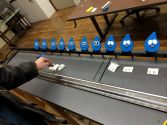 Dewey
Dewey
by Nicolas Ordahl -
 Rockclimber
by Nick T.


Related Pages
Links to related PPM Wiki pages:
For Additional Help
- Use the PPM Slack channel #vinyl-cutter
- List of all PPM Slack channels
- Note that we have a Slack channel (#job-board) for members to post, discuss, or accept job opportunities either within PPM or from the community.
Search the PPM Wiki — include Content pages as well as Multimedia.
Contact Us if you cannot find your answer here on our Wiki or if you notice any outdated information. Template:Ideas into reality