Large Format Printing: Difference between revisions
Jump to navigation
Jump to search
No edit summary |
No edit summary |
||
| Line 54: | Line 54: | ||
'''(4-Color, 42 inch wide)<br>''' | '''(4-Color, 42 inch wide)<br>''' | ||
[[File:Level 2 badge.png|alt=Level 2 badge|left|frameless| | [[File:Level 2 badge.png|alt=Level 2 badge|left|frameless|45x45px|link=https://wiki.pikespeakmakerspace.org/index.php/File:Level_2_badge.png]] | ||
|hewlett-packard | |hewlett-packard | ||
|'''hp Designjet 510''' | |'''hp Designjet 510''' | ||
Revision as of 16:43, 28 January 2025
Pikes Peak Makerspace (PPM) maintains an hp 510 Large Format Printer for its members.

Our Large Format Printing (LFP) area consists mostly of Level 2 equipment.
Additional PPM training is required to use any of our Level 2 equipment.
Contact Us if you cannot find your answer here on our Wiki or if you notice any outdated information.
Classes
- PPM announces its Upcoming events, including classes, on Meetup
- To help out with the Large Format Printer, post your ideas/comments on Slack.
Training
- ☐ After loading a new roll of material, be sure the roll spins freely. (Be sure it doesn't rub against the printer.)
- ☐ Use the small power button on the front, lower left of the printer for an "Emergency Stop", if necessary.
- ☐ Otherwise, to clear the printer, cycle the power using the power switch in the back, next to the power cord.
- ☐ Plain paper is recyclable.
- ☐ Photo paper and canvas are not recyclable. (Paper used by the dye sublimation printer is not recyclable, either.)
- ☐ Be sure to log your printing job using the Printer Usage Form.
-
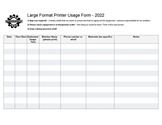 Large Format Printer Usage Form.pdf
 -
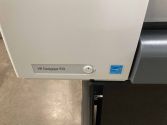 HP Designjet 510
front power button -
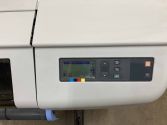 HP Designjet 510
display -
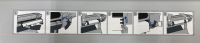 HP Designjet 510
load paper steps (6)


Tips
- ☐ The media profile for "Canvas" does not allow cutting at the end of the job (or even manually), just use the scissors instead.
- ☐ If printer reports "Print Head Path Error 2", check the (Illustrator) file for any elements that might need to be trimmed to fit within the artboard.
Equipment Lists
Large Format Printer
| Picture | Item | Manufacturer | Model Number |
Resources |
 |
Large Format
Inkjet Printer (4-Color, 42 inch wide)  |
hewlett-packard | hp Designjet 510
(memory upgraded to 416MB) |
Manuals |
 |
spindle hub replacement
(2") |
Trevor Banks
(04/12/22) |
(3D-printed) | |
 |
spindle hub adapter
(3" to 2") |
Trevor Banks
(04/16/22) |
(3D-printed) | |
Hand Tools
- Use scissors to cut canvas, (the media profile "Canvas" does not allow cutting.)
- Return all tools to their proper location after use.
- This rule applies to all areas of our Makerspace.
Benefits
- PPM members enjoy discounts at the following local merchants:
- (bring proof of PPM membership)
| Website | Benefit | Address |
|---|---|---|
| Woodcraft of Colorado Springs | 10% discount | 4438 Austin Bluffs Parkway |
| CO Lumber Specialties | 10% discount | 3636 Stone Avenue |
| GENERAL AIR | 10% discount | 3031 N Nevada Ave. |
| ACE Hardware Uintah Gardens | 10% discount | 1830 W Uintah Street |
Policies
Materials
- SCAN OUR QR CODE (Cheddar Up) TO PAY FOR USE.
- If paying by cash, leave donations in a black payment box after login in Cheddar Up.
- 14", 24", and 30" stretcher boards mounting canvas prints, cost TBD.
Red Tags
- If equipment needs repairs, place a Red Tag on it and report it via the Pikes Peak Makerspace Slack channel #red-tag-issues
- This advises others on the malfunctioning equipment and ensures that actions can be taken to service/repair the equipment.
Related Software
Design Software
- Adobe Illustrator Tips
- Adobe Photoshop Tips
- Adobe InDesign Tips
- CorelDRAW X6 Tips
- Inkscape Tips
- Canva Tips
Printing Software
- Adobe Acrobat
- Preview — Print directly from macOS applications, including Preview
Member Showcase
-
Large Vinyl Banner
by Debbie l Urquijo
(03/21/23) -
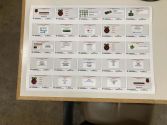 Poster for
Raspberry Pi event -
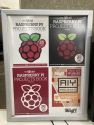 Poster of
Raspberry Pi Books -
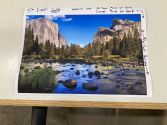 Poster of
Colorado Mountains -
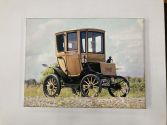 Canvas print of
Electric car -
 Large canvas print of
Coffee mug


Additional Help
Links to related PPM Wiki pages:
- Use the #printer-suite channel in Slack!
- List of all PPM Slack channels
- Note that we have a Slack channel (#job-board) for members to post, discuss, or accept job opportunities either within PPM or from the community.
Search the PPM Wiki — include Content pages as well as Multimedia.
Contact Us if you cannot find your answer here on our Wiki or if you notice any outdated information.