Dye Sublimation Printing: Difference between revisions
No edit summary |
No edit summary |
||
| (28 intermediate revisions by the same user not shown) | |||
| Line 1: | Line 1: | ||
'''Dye sublimation is a printing technique that uses heat to transfer dye onto | '''Dye sublimation is a printing technique that uses heat to transfer dye onto materials''' such as plastic, card, paper, or fabrics. Here at Pikes Peak Makerspace (PPM) we can print onto mugs, too. | ||
No reservations are required for our Dye Sublimation Printer at this time, it is "first‑come, first‑served". | |||
No reservations are required for our Dye Sublimation Printer at this time, it is "first | |||
However, be sure to log your printing job using the Printer Usage Form. | However, be sure to log your printing job using the Printer Usage Form. | ||
| Line 9: | Line 7: | ||
<br> | <br> | ||
[[File:Level 2 badge.png|alt=Level 2 badge used at Pikes Peak Makerspace|left|frameless|90x90px|PPM TRAINING REQUIRED]] | [[File:Level 2 badge.png|alt=Level 2 badge used at Pikes Peak Makerspace|left|frameless|90x90px|PPM TRAINING REQUIRED]] | ||
The Dye Sublimation Printing Area at Pikes Peak Makerspace | The Dye Sublimation Printing Area at Pikes Peak Makerspace consists mostly of Level 2 equipment. | ||
Additional PPM training is required to use any of our Level 2 equipment.<br> | Additional PPM training is required to use any of our Level 2 equipment.<br> | ||
<br> | <br> | ||
<br> | <br> | ||
{{Template:Contact Us}} | {{Template:Contact Us}} | ||
| Line 23: | Line 17: | ||
<hr style="height:2.5px; background:#484848;"> | <hr style="height:2.5px; background:#484848;"> | ||
<br> | <br> | ||
== Classes== | == Classes == | ||
:{{Template:Classes}} | :{{Template:Classes}} | ||
| Line 29: | Line 23: | ||
==PPM Training== | ==PPM Training== | ||
'''- Be sure to log your usage with our Dye Sublimation Usage Form''' | '''- Be sure to log your usage with our Dye Sublimation Usage Form''' | ||
| Line 37: | Line 29: | ||
File:Dye Sub Usage Form.pdf|alt=Dye Sublimation Usage Form|'''Dye Sublimation<br>Usage Form.pdf''' | File:Dye Sub Usage Form.pdf|alt=Dye Sublimation Usage Form|'''Dye Sublimation<br>Usage Form.pdf''' | ||
</gallery> | </gallery> | ||
==Equipment Lists== | ==Equipment Lists== | ||
==='''Dye Sublimation Printer'''=== | |||
===Dye Sublimation | |||
{| class="wikitable" | {| class="wikitable" | ||
|- style="font-weight:bold; text-align:left; font-family:Arial, Helvetica, sans-serif !important; background-color:#FFFFFF; color:#000000;" | |- style="font-weight:bold; text-align:left; font-family:Arial, Helvetica, sans-serif !important; background-color:#FFFFFF; color:#000000;" | ||
| style="vertical-align:middle;" |Picture | | style="vertical-align:middle;" |Picture | ||
|Item | |Item | ||
|Manufacturer | |Manufacturer | ||
|Model | |Model | ||
|- | |- | ||
| | | | ||
|'''dye sublimation<br>printer'''<br> | |'''dye sublimation<br>printer'''<br> | ||
[[File:Level 2 badge.png|alt=Level 2 badge|left|frameless|45x45px]] | [[File:Level 2 badge.png|alt=Level 2 badge|left|frameless|45x45px]] | ||
| | | EPSON | ||
| | |SureColor F170 | ||
|} | |||
| | |||
|- | ===Dye Sublimation Equipment=== | ||
{| class="wikitable" | |||
| | |- style="font-weight:bold; text-align:left; font-family:Arial, Helvetica, sans-serif !important; background-color:#FFFFFF; color:#000000;" | ||
| | | style="vertical-align:middle;" |Picture | ||
| | |Item | ||
| | |Manufacturer | ||
|Model | |||
|- | |- | ||
|[[File:Dye Sub Oven.jpg|alt=Dye Sublimation Oven|center|frameless|120x120px]] | |[[File:Dye Sub Oven.jpg|alt=Dye Sublimation Oven|center|frameless|120x120px]] | ||
|'''Sublimation Oven'''<br> | |'''Sublimation Oven'''<br> | ||
[[File:Level 2 badge.png|alt=Level 2 badge|left|frameless|45x45px]] | [[File:Level 2 badge.png|alt=Level 2 badge|left|frameless|45x45px]] | ||
|JTrans | | JTrans | ||
| KX40LB | |KX40LB | ||
|- | |- | ||
|[[File:Heat press.jpg|alt=Heat press|center|frameless|150x150px]] | |[[File:Heat press.jpg|alt=Heat press|center|frameless|150x150px]] | ||
| Line 83: | Line 65: | ||
[[File:Level 2 badge.png|alt=Level 2 badge|left|frameless|45x45px]] | [[File:Level 2 badge.png|alt=Level 2 badge|left|frameless|45x45px]] | ||
|power press | |power press | ||
| | | | ||
|} | |} | ||
'''- The timer on the heat press doesn't work all the time, so use your phone just in case.''' | |||
== Benefits == | == Benefits == | ||
| Line 143: | Line 75: | ||
== Policies== | == Policies== | ||
'''Materials''' | '''Materials''' | ||
: | : USE OUR OPTIX APP TO PAY FOR CONSUMABLES. | ||
{{Red Tags}} | {{Red Tags}} | ||
==Additional Help== | ==Additional Help== | ||
Use the PPM Slack channels #printer-suite | |||
Use the PPM Slack channels #printer-suite | |||
Note that we have a Slack channel (#job-board) for members to post, discuss, or accept job opportunities either within PPM or from the community. | Note that we have a Slack channel (#job-board) for members to post, discuss, or accept job opportunities either within PPM or from the community. | ||
Latest revision as of 21:46, 22 August 2026
Dye sublimation is a printing technique that uses heat to transfer dye onto materials such as plastic, card, paper, or fabrics. Here at Pikes Peak Makerspace (PPM) we can print onto mugs, too.
No reservations are required for our Dye Sublimation Printer at this time, it is "first‑come, first‑served".
However, be sure to log your printing job using the Printer Usage Form.

The Dye Sublimation Printing Area at Pikes Peak Makerspace consists mostly of Level 2 equipment.
Additional PPM training is required to use any of our Level 2 equipment.
Contact Us if you cannot find your answer here on our Wiki or if you notice any outdated information.
Classes
- To help out with the Dye Sublimation Printing Area, post your ideas/comments on Slack.
PPM Training
- Be sure to log your usage with our Dye Sublimation Usage Form
-
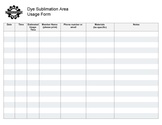 Dye Sublimation
Usage Form.pdf
Equipment Lists
Dye Sublimation Printer
| Picture | Item | Manufacturer | Model |
| dye sublimation printer |
EPSON | SureColor F170 |
Dye Sublimation Equipment
| Picture | Item | Manufacturer | Model |
 |
Sublimation Oven |
JTrans | KX40LB |
 |
heat press
(15"x15") |
power press |
- The timer on the heat press doesn't work all the time, so use your phone just in case.
Benefits
- PPM members enjoy discounts at the following local merchants:
- (bring proof of PPM membership)
| Website | Benefit | Address |
|---|---|---|
| Woodcraft of Colorado Springs | 10% discount | 4438 Austin Bluffs Parkway |
| CO Lumber Specialties | 10% discount | 3636 Stone Avenue |
| GENERAL AIR | 10% discount | 3031 N Nevada Ave. |
| ACE Hardware Uintah Gardens | 10% discount | 1830 W Uintah Street |
Policies
Materials
- USE OUR OPTIX APP TO PAY FOR CONSUMABLES.
Red Tags
- If equipment needs repairs, place a Red Tag on it and report it via the Pikes Peak Makerspace Slack channel #red-tag-issues
- This advises others on the malfunctioning equipment and ensures that actions can be taken to service/repair the equipment.
Additional Help
Use the PPM Slack channels #printer-suite
Note that we have a Slack channel (#job-board) for members to post, discuss, or accept job opportunities either within PPM or from the community.
Search the PPM Wiki — include Content pages as well as Multimedia.
Contact Us if you cannot find your answer here on our Wiki or if you notice any outdated information.