(142 intermediate revisions by the same user not shown) Line 1:
Line 1: [[File:Level_2_badge.png|alt=Level 2 badge|left|frameless|100x100px]]
'''Dye sublimation is a printing technique that uses heat to transfer dye onto materials''' such as plastic, card, paper, or fabrics. Here at Pikes Peak Makerspace (PPM) we can print onto mugs, too .
'''The Dye Sublimation Printing Area at Pikes Peak Makerspace (PPM) consists mostly of Level 2 equipment.'''
No reservations are required for our Dye Sublimation Printer at this time, it is "first ‑ ;come, first ‑ ;served" .
Additional training is required to use our Level 2 equipment.
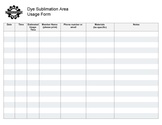
However, be sure to log your printing job using the Printer Usage Form .
Dye sublimation is a printing technique that uses heat to transfer dye onto special materials such as plastic, card, paper, or fabrics.
Here at Pikes Peak Makerspace we can print onto mugs, too.
<br>
<br>
<br>
<br>
<p style="padding:0.2em 0.4em; background:#D0DD27; color:#FFFFFF; font-size:15%;"> </p>
[[File :Level 2 badge .png|alt=Level 2 badge used at Pikes Peak Makerspace|left|frameless|90x90px|PPM TRAINING REQUIRED]]
The Dye Sublimation Printing Area at Pikes Peak Makerspace consists mostly of Level  ;2  ;equipment.
Additional PPM training is required to use any of our Level 2 equipment. <br >
<br>
<br>
{{Template:Safety}}
<br>
<br>
<p style="padding:0.2em 0.4em; background:#D0DD27; color:#FFFFFF; font-size:15%;"> </p>
{{Template :Contact Us}}
==Classes and Training==
===[[New Member Orientation]]===
<hr style ="height:2.5px; background:#484848;">
<br>
== Classes ==
:{{Template:Classes}}
===Area Contact — Mathew Palfenier===
:To help out with the Dye Sublimation Printing Area, post your ideas/comments on Slack.
:'''Additional Leaders for the Dye Sub Printing Area wanted.'''
:To help out with the Dye Sublimation Printing Area, post your ideas/comments on Slack.
===Classes===
==PPM Training ==
PPM announces all its [https://www.meetup.com/pikespeakmakerspace/events '''Upcoming events, including classes, on Meetup''']
===Training===
''' - Be sure to log your usage with our Dye Sublimation Usage Form'' '
- The timer on the heat press doesn't work all the time, <br>so use your phone just in case.
- Be sure to log your usage with the Usage Form
<gallery widths="200" heights="125" >
<gallery>
File:Dye Sub Usage Form.pdf|alt=Dye Sublimation Usage Form|''' Dye Sublimation<br>Usage Form.pdf'''
File:Dye Sub Usage Form.pdf|alt=Dye Sublimation Usage Form|<center>Dye Sublimation<br>Usage Form.pdf</center>
</gallery>
</gallery>
===Tips===
Links to external sites:
:'''[https://graphics-pro.com/feature/30-sublimation-tips-and-tricks/ 30 Sublimation Tips and Tricks]'''
:'''[https://www.unitconverters.net/temperature/celsius-to-fahrenheit.htm Convert Celsius to Fahrenheit]'''
==For Additional Help==
:Use the #printer-suite or #computing channels in [https://bit.ly/ppmslack Slack!]
:[[How To Slack#Channel Names and Descriptions|'''List of all PPM Slack channels''']]
:Note that we have a Slack channel (#job-board) for members to post, discuss, or accept job opportunities either within PPM or from the community.
==Equipment Lists==
==Equipment Lists==
===''' Dye Sublimation Printer''' ===
===Dye Sublimation Printing===
{| class="wikitable"
{| class="wikitable"
|- style="font-weight:bold; text-align:center; font-family:Arial, Helvetica, sans-serif !important; background-color:#D0DD27; color:#000000;"
|- style="font-weight:bold; text-align:left ; font-family:Arial, Helvetica, sans-serif !important; background-color:#FFFFFF ; color:#000000;"
| style="vertical-align:middle;" |Picture
| style="vertical-align:middle;" |Picture
|Item
|Item
|Manufacturer
|Manufacturer
|Model<br>Number
|Model
|Owner
|Reference<br>Materials
|-
|[[File:Sublimation printer.jpg|alt=Sublimation printer|center|frameless|150x150px]]
|'''dye sublimation'''
'''printer'''
[[File:Level 2 badge.png|alt=Level 2 badge|left|frameless|49x49px]]
|[[File:SAWGRASS logo.png|frameless|100x100px]]
|Sawgrass
SG500
|PPM
|[https://care.sawgrassink.com/hc/en-us Knowledge Base]
|-
|-
|[[File:Heat press.jpg|alt=Heat press|center|frameless|150x150px]]
|'''heat press'''
(15"x15")<br>
[[File:Level 2 badge.png|alt=Level 2 badge|left|frameless|49x49px]]
|power press
|?
|PPM
|
|-
|[[File:Mug press.jpg|alt=Mug press|center|frameless|150x150px]]
|'''mug press'''<br>
[[File:Level 2 badge.png|alt=Level 2 badge|left|frameless|49x49px]]
|GEO Knight & Co
|K3
|PPM
|[https://www.heatpress.com/ www.heatpress.com]
|-
|[[File:MUNBYN label printer.jpg|alt=MUNBYN label printer|center|frameless|138x138px]]
|'''Thermal label printer,'''<br>203DPI
|MUNBYN
|MUNBYN
[https://munbyn.com/products/thermal-shipping-label-printer ITPP941]
|PPM
|[[File:ITPP941 User Manual2.0.7.pdf|alt=User Manual|thumb|User Manual]]
|- style="font-weight:bold; text-align:center; font-family:Arial, Helvetica, sans-serif !important; color:#000000;"
| style="vertical-align:middle;" |
|
|
|
|
|
|
|'''dye sublimation<br>printer'''<br>
[[File:Level 2 badge.png|alt=Level 2 badge|left|frameless|45x45px]]
| EPSON
|SureColor F170
|}
|}
===Dye Sublimation Computer===
===Dye Sublimation Equipment ===
{| class="wikitable"
{| class="wikitable"
|- style="font-weight:bold; text-align:center; font-family:Arial, Helvetica, sans-serif !important; background-color:#D0DD27; color:#000000;"
|- style="font-weight:bold; text-align:left ; font-family:Arial, Helvetica, sans-serif !important; background-color:#FFFFFF ; color:#000000;"
| style="vertical-align:middle;" |Item
| style="vertical-align:middle;" |Picture
|Manufacturer/<br>Model
|Software
|CPU
|Network Speed,<br>Wired
|Memory/<br>Storage
|-
|'''laptop computer'''
("Insight-1")
|hp
[https://support.hp.com/us-en/product/hp-elitebook-8570w-mobile-workstation/5257502/document/c03414805 '''EliteBook 8570w''']
|Microsoft
Windows 10 Pro,
Sawgrass Print Manager,
Silhouette Studio,
Creative Studio
| Intel Core-i7
2.30 GHz
|674 Up,
898 Down
(Mbps)
|8 GB
750 GB HDD
|- style="font-weight:bold; text-align:center; font-family:Arial, Helvetica, sans-serif !important; color:#000000;"
| style="vertical-align:middle;" |
|
|
|
|
|
|}
===Hand Tools===
{| class="wikitable"
|- style="font-weight:bold; text-align:center; font-family:Arial, Helvetica, sans-serif !important; background-color:#D0DD27; color:#000000;"
| style="vertical-align:middle;" | Picture
|Item
|Item
|Manufacturer
|Manufacturer
|Model
|Model
|Reference<br>Materials
|-
|-
|[[File:Swingline laminator.jpg|alt=Swingline laminator|center|frameless|150x150px]]
|[[File:Dye Sub Oven .jpg|alt=Dye Sublimation Oven |center|frameless|120x120px ]]
|'''THERMAL<br>LAMINATOR (9")'''
|'''Sublimation Oven''' <br>
|Swingline
[[File:Level 2 badge.png|alt=Level 2 badge|left|frameless |45x45px]]
|INSPIRE PLUS
| JTrans
|yes, and [https://www.manualslib.com/manual/1249537/Swingline-Inspire-Plus.html#manual online]
|KX40LB
|-
|-
|[[File:Postal scale.jpg|center|frameless|200x200px]]
|[[File:Heat press .jpg|alt=Heat press |center|frameless|150x150px ]]
|'''Digital'''
|'''heat press '''
'''Postal Scale (USB)'''
(15"x15" )<br>
|stamps.com
[[File:Level 2 badge .png |alt =Level 2 badge |left |frameless |45x45px]]
|SDC 550 5LB
|power press
|
|- style="font-weight:bold; text-align:center; font-family:Arial, Helvetica, sans-serif !important; color:#000000;"
| style="vertical-align:middle;" |
|
|
|
|
|
|}
|}
:'''''Return all tools to their proper location after use. This rule applies to all areas of our Makerspace.'''''
'''- The timer on the heat press doesn 't work all the time, so use your phone just in case .'''
[[Donations Received|'''Donations Received''']]
[[Wish List#Dye Sublimation Printing|'''Wish List''']]
:Pikes Peak Makerspace is a 501(c)(3) non-profit organization, so we can provide a receipt for any donations you make.
==Related Software==
== Benefits ==
===Design Software===
Links to related PPM Wiki pages:
:[[Canva Tips|'''Canva Tips''']]
:[[Adobe Illustrator Tips|'''Adobe Illustrator Tips''']]
:[[Adobe Photoshop Tips|'''Adobe Photoshop Tips''']]
:[[CorelDRAW X6 Tips|'''CorelDRAW X6 Tips''']]
:[[Inkscape Tips|'''Inkscape Tips''']]
:[[Procreate app Tips|'''Procreate app Tips''']]
==Benefits==
{{Member Benefits}}
{{Member Benefits}}
==Policies==
== Policies==
'''Materials'''
'''Materials'''
:SCAN QR CODE TO PAY FOR USE
: USE OUR OPTIX APP TO PAY FOR CONSUMABLES .
:Paper used by the dye sublimation printer is not recyclable. (?)
{{Red Tags}}
{{Red Tags}}
{{Scrap and Trash}}
:Paper used by the dye sublimation printer is not recyclable. (?)
==Member Showcase==
==Additional Help ==
<gallery>
Use the PPM Slack channels #printer-suite
File:Sub printed items.jpg|alt=Sublimation Printing examples|<center>Sublimation Printing<br>examples<br>(01/15/23)</center>
File:Mug train.JPG|alt=Mug with train artwork|<center>Sublimation Printed<br>mug with artwork</center>
File:Mug PPM.JPG|alt=Mug with PPM logo|<center>Sublimation Printed<br>mug with PPM logo</center>
</gallery>
{{Template:Showcase_blurb}}
Note that we have a Slack channel (#job-board) for members to post, discuss, or accept job opportunities either within PPM or from the community.
==Related Pages==
Links to related PPM Wiki pages:
:'''[[Large_Format_Printing|<span style="color:#000000; background:#D0DD27"> Printers — Large Format </span>]]'''
:'''[[Vinyl_Cutting|<span style="color:#000000; background:#D0DD27"> Vinyl Cutting </span>]]'''
:'''[[Computers|<span style="color:#000000; background:#D0DD27"> Computers </span>]]'''
:'''[[Assembly_Table_(Clean_Projects)|<span style="color:#000000; background:#FDD1AC"> Assembly Table (Clean Projects) </span>]]'''
:'''[[Canva Tips]]'''
==Curated Links==
Links to member-recommended external sites:
===[https://www.sawgrassink.com/printers/ Sawgrass SG500 printer]===
===[https://dyetrans.com/ Condé Systems, Inc]===
==Other Fun Stuff==
Links to external sites:
:'''[[wikipedia:Dye-sublimation_printing|Dye-sublimation printing]]''' — on Wikipedia
:'''[https://www.sawgrassink.com/blog/ Unleash Your Creativity]''' — Sawgrass Blog
{{Template:Footer}}
{{Template:Footer}}
<br>
<hr style="height :2 .5px ; background:#484848 ;">
<p style="padding:0.2em 0.4em; background:#D0DD27; color:#FFFFFF; font-size:15%;"> </p>
{{Template:Ideas into reality}}
[[Category:Hardware]]
[[Category:Volunteers Needed]]
<!--Woodshop-->
Dye sublimation is a printing technique that uses heat to transfer dye onto materials such as plastic, card, paper, or fabrics. Here at Pikes Peak Makerspace (PPM) we can print onto mugs, too.
No reservations are required for our Dye Sublimation Printer at this time, it is "first‑come, first‑served".
However, be sure to log your printing job using the Printer Usage Form.
PPM TRAINING REQUIRED The Dye Sublimation Printing Area at Pikes Peak Makerspace consists mostly of Level 2 equipment.
Additional PPM training is required to use any of our Level 2 equipment.
Contact Us
Classes Browse and Pay for PPM Classes To help out with the Dye Sublimation Printing Area, post your ideas/comments on Slack. PPM Training - Be sure to log your usage with our Dye Sublimation Usage Form
Equipment Lists Dye Sublimation Printer
Picture
Item
Manufacturer
Model
dye sublimation EPSON
SureColor F170
Dye Sublimation Equipment - The timer on the heat press doesn't work all the time, so use your phone just in case.
Benefits PPM members enjoy discounts at the following local merchants: (bring proof of PPM membership) Policies Materials
USE OUR OPTIX APP TO PAY FOR CONSUMABLES. Red Tags
If equipment needs repairs, place a Red Tag on it and report it via the Pikes Peak Makerspace Slack channel #red-tag-issues
This advises others on the malfunctioning equipment and ensures that actions can be taken to service/repair the equipment. Additional Help Use the PPM Slack channels #printer-suite
Note that we have a Slack channel (#job-board) for members to post, discuss, or accept job opportunities either within PPM or from the community.
Search the PPM Wiki
Contact Us

 Dye Sublimation
