Sandbox - 01: Difference between revisions
| (426 intermediate revisions by the same user not shown) | |||
| Line 1: | Line 1: | ||
'''Pikes Peak Makerspace (PPM) has received a donated Roland TruVIS VG3-540 Inkjet Printer Cutter, supplies, supply rack, dedicated computer, and UPS!''' | |||
No reservations are available for our Roland TruVIS printer at this time, it is "first-come, first-served". | |||
''' | |||
However, be sure to log your printing job using the Printer Usage Form. | |||
'''''Always leave the space better than you found it.''''' | |||
<br> | <br> | ||
'''Links to related PPM Wiki pages:''' | |||
:'''[[Dye Sublimation Printing|Printers — Dye Sublimation]]''' | |||
:'''[[Vinyl Cutting]]''' | |||
<br> | <br> | ||
{{Template: | {{Template:Contact Us}} | ||
= | <hr style="height:2.5px; background:#484848;"> | ||
<br> | |||
=== | ==Classes== | ||
:{{Template:Classes}} | |||
: | |||
== | :To help out with our Roland Printer, post your ideas/comments on our Slack ##roland-printer | ||
: | |||
==Training== | |||
:'''No reservations are available for our Roland TruVIS printer at this time, it is "first-come, first-served".''' | |||
<gallery> | :However, be sure to log your printing job on the Roland TruVIS Printer Usage Form. | ||
File: | |||
<gallery widths="200" heights="125"> | |||
File:Roland TruVIS Usage Form.pdf|alt=Roland TruVIS Usage Form|'''Roland TruVIS Usage Form.pdf''' | |||
</gallery> | </gallery> | ||
=== | ==Tips== | ||
:'''[https:// | :☐ '''Weeding''' is the process of removing the (vinyl) material from a design that has been cut, leaving behind only the desired artwork. | ||
==Regular Maintenance Guidelines== | |||
:'''From the Roland VG3-640 [https://downloadcenter.rolanddg.com/contents/manuals/VG3-640_USE_EN/index.html User's Manual]''' | |||
= | :'''"To use this machine under its optimal conditions, it is important to perform the following maintenance at the appropriate times on a daily basis."''' | ||
{| class="wikitable" | |||
|+ | |||
!Timing | |||
!Item | |||
|- | |||
|'''Before daily operations''' | |||
|[https://downloadcenter.rolanddg.com/contents/manuals/VG3-640_USE_EN/dee1625459182509_4.html '''Print head check'''] | |||
|- | |||
|'''Before daily operations''' | |||
|Ink mixing (white ink) | |||
Remove just the pouch tray for the white ink, | |||
shake the pouch tray 50 times (about 20 seconds), | |||
and then reinsert this pouch tray. | |||
|- | |||
|'''After daily operations''' | |||
|'''[https://downloadcenter.rolanddg.com/contents/manuals/VG3-640_USE_EN/eig1657860429033.html Cleaning the Media Path]<br />[https://downloadcenter.rolanddg.com/contents/manuals/VG3-640_USE_EN/uyf1657852014986.html Cleaning the Knife Carriage Roller]''' | |||
|- | |- | ||
| | | | ||
|[https:// | | | ||
|- | |||
|'''If a message appears''' | |||
|[https://downloadcenter.rolanddg.com/contents/manuals/VG3-640_USE_EN/rof1627273508695.html '''Cleaning around the Print Heads'''] | |||
(manual cleaning) | |||
( | |||
|- | |- | ||
|'''When the discharged fluid is ready to overflow''' | |||
|''' | |||
| | | | ||
[https://downloadcenter.rolanddg.com/contents/manuals/VG3-640_USE_EN/pnm1657861742633.html '''Precautions for Disposing of Discharged Fluid'''] | |||
[https://downloadcenter.rolanddg.com/contents/manuals/VG3-640_USE_EN/gne1657861742632.html '''If the Discharged Fluid Disposal Message Appears'''] | |||
|- | |- | ||
| | | | ||
| | | | ||
|- | |- | ||
| | |'''Other maintenance items''' | ||
| | |[https://downloadcenter.rolanddg.com/contents/manuals/VG3-640_USE_EN/tjq1627900689329.html '''Types and Timing of Maintenance'''] | ||
|} | |} | ||
=== | ==Equipment Lists== | ||
{| class="wikitable | ===Roland Large Format Printer Cutter=== | ||
!Picture | {| class="wikitable" | ||
|- style="font-weight:bold; text-align:left; font-family:Arial, Helvetica, sans-serif !important;; background-color:#FFFFFF; color:#000000;" | |||
| style="vertical-align:middle;" |Picture | |||
|Item | |||
|Manufacturer | |||
|Model<br>Number | |||
|Resources | |||
|- | |- | ||
| | | | ||
|''' | |'''Large Format''' | ||
'''Printer Cutter''' | |||
'''(54 inch wide)''' | |||
|ROLAND | |||
|TruVIS VG3-540 | |||
|[https://www.rolanddga.com/products/printers/truevis-vg3-series-printer-cutter website] | |||
|- style="font-weight:bold; text-align:left; font-family:Arial, Helvetica, sans-serif !important; color:#000000;" | |||
| style="vertical-align:middle;" | | |||
| | |||
| | |||
| | |||
| | | | ||
| | |||
| | |||
| | |||
| | |||
| | |||
| | |||
| | |||
| | |||
| | |||
|} | |} | ||
=== | ===Dedicated Computer=== | ||
{| class="wikitable" | |||
{| class="wikitable | |- style="font-weight:bold; text-align:left; font-family:Arial, Helvetica, sans-serif !important; background-color:#FFFFFF; color:#000000;" | ||
! | |Picture | ||
|Computer | |||
|Software | |||
|Monitors | |||
|Processor / <br>Graphics | |||
|Memory /<br>Storage | |||
|- | |- | ||
| | | | ||
| | | | ||
| | | | ||
| | | | ||
| | | | ||
| | |||
|- style="font-weight:bold; text-align:left; font-family:Arial, Helvetica, sans-serif !important; color:#000000;" | |||
| | |||
| | |||
| | |||
| | |||
| | |||
| | |||
| | |||
| | |||
| | |||
| | |||
| | |||
| | |||
|} | |} | ||
:☐ '''You are responsible for your own backups.''' | |||
:☐ '''Do not expect files on the computer to be saved for you.''' | |||
:☐ '''Do not expect files in the VersaWorks queues to be saved for you.''' | |||
==Policies== | |||
'''Materials''' | |||
== | :USE THE OPTIX APP TO PAY FOR USE. | ||
: | |||
{{Red Tags}} | |||
== | ==Related Software== | ||
==='''Printing Software'''=== | |||
:'''VersaWorks''' | |||
== Additional Help == | |||
Use our #roland-printer channel in Slack! | |||
Note that we have a Slack channel (#job-board) for members to post, discuss, or accept job opportunities either within PPM or from the community. | |||
{{Template:Footer}} | {{Template:Footer}} | ||
<hr style="height:2.5px; background:#484848;"> | |||
Latest revision as of 17:47, 25 August 2026
Pikes Peak Makerspace (PPM) has received a donated Roland TruVIS VG3-540 Inkjet Printer Cutter, supplies, supply rack, dedicated computer, and UPS!
No reservations are available for our Roland TruVIS printer at this time, it is "first-come, first-served".
However, be sure to log your printing job using the Printer Usage Form.
Always leave the space better than you found it.
Links to related PPM Wiki pages:
Contact Us if you cannot find your answer here on our Wiki or if you notice any outdated information.
Classes
- To help out with our Roland Printer, post your ideas/comments on our Slack ##roland-printer
Training
- No reservations are available for our Roland TruVIS printer at this time, it is "first-come, first-served".
- However, be sure to log your printing job on the Roland TruVIS Printer Usage Form.
-
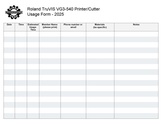 Roland TruVIS Usage Form.pdf
Tips
- ☐ Weeding is the process of removing the (vinyl) material from a design that has been cut, leaving behind only the desired artwork.
Regular Maintenance Guidelines
- From the Roland VG3-640 User's Manual
- "To use this machine under its optimal conditions, it is important to perform the following maintenance at the appropriate times on a daily basis."
| Timing | Item |
|---|---|
| Before daily operations | Print head check |
| Before daily operations | Ink mixing (white ink)
Remove just the pouch tray for the white ink, shake the pouch tray 50 times (about 20 seconds), and then reinsert this pouch tray. |
| After daily operations | Cleaning the Media Path Cleaning the Knife Carriage Roller |
| If a message appears | Cleaning around the Print Heads
(manual cleaning) |
| When the discharged fluid is ready to overflow | |
| Other maintenance items | Types and Timing of Maintenance |
Equipment Lists
Roland Large Format Printer Cutter
| Picture | Item | Manufacturer | Model Number |
Resources |
| Large Format
Printer Cutter (54 inch wide) |
ROLAND | TruVIS VG3-540 | website | |
Dedicated Computer
| Picture | Computer | Software | Monitors | Processor / Graphics |
Memory / Storage |
- ☐ You are responsible for your own backups.
- ☐ Do not expect files on the computer to be saved for you.
- ☐ Do not expect files in the VersaWorks queues to be saved for you.
Policies
Materials
- USE THE OPTIX APP TO PAY FOR USE.
Red Tags
- If equipment needs repairs, place a Red Tag on it and report it via the Pikes Peak Makerspace Slack channel #red-tag-issues
- This advises others on the malfunctioning equipment and ensures that actions can be taken to service/repair the equipment.
Related Software
Printing Software
- VersaWorks
Additional Help
Use our #roland-printer channel in Slack!
Note that we have a Slack channel (#job-board) for members to post, discuss, or accept job opportunities either within PPM or from the community.
Search the PPM Wiki — include Content pages as well as Multimedia.
Contact Us if you cannot find your answer here on our Wiki or if you notice any outdated information.