Sandbox - 01: Difference between revisions

From Pikes Peak Makerspace Wiki
Jump to navigation Jump to search
No edit summary
 
(239 intermediate revisions by the same user not shown)
Line 1: Line 1:
[[File:Level 1 badge.png|alt=Level 1 badge used at Pikes Peak Makerspace|left|frameless|100x100px|PPM MEMBER USE]]
'''Pikes Peak Makerspace (PPM) has received a donated Roland TruVIS VG3-540 Inkjet Printer Cutter, supplies, supply rack, dedicated computer, and UPS!'''


'''Pikes Peak Makerspace (PPM) maintains three Design Workstations,''' as well as other computers dedicated to equipment throughout our space.
No reservations are available for our Roland TruVIS printer at this time, it is "first-come, first-served".


Members can use our computers, and installed software, without any additional required training (Level 1).
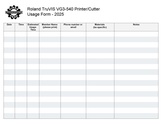
However, be sure to log your printing job using the Printer Usage Form.
<br>
<br>
<br>
<br>
<p style="padding:0.2em 0.4em;  background:#D0DD27; color:#FFFFFF; font-size:15%;"> &nbsp; </p>
<br>
==Classes and Training==


===[[New Member Orientation]]===
'''''Always leave the space better than you found it.'''''


===Area Contact — Volunteers needed===
<br>
:To help out with the computers at PPM, post your ideas and comments on&nbsp;Slack #computing channel.


===Classes===
'''Links to related PPM Wiki pages:'''
:PPM announces all its [https://www.meetup.com/pikespeakmakerspace/events '''Upcoming events, including classes, on Meetup''']


===Training===
:'''[[Dye Sublimation Printing|Printers — Dye Sublimation]]'''
:* Do not expect files on the computers to be saved, use your own thumb drive or cloud backup.
:'''[[Vinyl Cutting]]'''
:* Computers are for professional use only.


===Tips===
Links to external sites:
:'''Windows 10'''
::'''[https://www.computerworld.com/article/3029168/16-ways-to-speed-up-windows-10.html 17 ways to speed up Windows 10]''' — COMPUTERWORLD
:'''Windows 11'''
::'''[https://www.computerworld.com/article/3711746/windows-11-ai-features.html Windows 11 AI features you can use today]''' — COMPUTERWORLD
:'''Windows 12'''
::'''[https://www.pcworld.com/article/2216834/windows-12-how-to-use-new-functions-now.html How to try tomorrow’s new features, today]''' — PCWorld


== Equipment Lists ==
<br>
 
{{Template:Contact Us}}
===Design Workstations 1-3===
{| class="wikitable"
|- style="font-weight:bold; text-align:left; font-family:Arial, Helvetica, sans-serif !important; background-color:#D0DD27; color:#000000;"
| style="vertical-align:middle;" |Picture
|Computer
|Application<br>Software
|Monitors
|CPU
|GPU(s)
|Memory
|Storage
|Network&nbsp;Speed,<br>Wired
|System<br>Software
|-
|[[File:Design Workstation 1.jpg|alt=Design Workstation 1|center|frameless|150x150px]]
|'''Design Workstation&nbsp;1'''
'''(height adjustable desk)'''
[[File:Level 1 badge.png|alt=Level 1 badge|left|frameless|49x49px]]
|Autodesk Fusion,
PrusaSlicer,
VCarve Pro Trial Edition 11.5,
 
OpenOffice, <br>
and more.
|22" Lenovo
LS2223
 
(3x)
|Intel&nbsp;Core
i5&#8209;7600K
 
3.80GHz
|
|32 GB
DDR4 SDRAM
|465 GB
| 920 Up,
875 Down
(Mbps)
|Microsoft Windows&nbsp;10&nbsp;Home
(NOT upgradeable
to&nbsp;Windows&nbsp;11)
|-
|[[File:Design Workstation 2.jpg|alt=Design Workstation 2|center|frameless|150x150px]]
|'''Design Workstation&nbsp;2'''
'''(height adjustable desk)'''
[[File:Level 1 badge.png|alt=Level 1 badge|left|frameless|49x49px]]
|Adobe Creative Cloud,
Autodesk Fusion, CorelDRAW&nbsp;X6,


PrusaSlicer, Lychee Slicer,
<hr style="height:2.5px; background:#484848;">


LightBurn, VCarve,
[https://www.cnccookbook.com/g-wizard-feeds-speeds-calculator-mill/ G-Wizard calculator]
<br>
<br>
and more.
==Classes==
|22" Acer
:{{Template:Classes}}
V226HQL


(2x)
:To help out with our Roland Printer, post your ideas/comments on our Slack ##roland-printer
|Intel&nbsp;Core
i7&#8209;9700


3.00GHz
==Training==
|Nvidia
:'''No reservations are available for our Roland TruVIS printer at this time, it is "first-come, first-served".'''
Quadro P620
:However, be sure to log your printing job on the Roland TruVIS Printer Usage Form.
|32 GB
DDR4 SDRAM
|930 GB
| 935 Up,
870 Down
(Mbps)
|Microsoft Windows&nbsp;10&nbsp;Pro
(upgradeable <br>
to&nbsp;Windows&nbsp;11)
|-
|[[File:Design Workstation 3 new.jpg|alt=Design Workstation 3|center|frameless|150x150px]]
|'''Design Workstation&nbsp;3'''
'''(height adjustable desk)'''
[[File:Level 1 badge.png|alt=Level 1 badge|left|frameless|49x49px]]
|Photoshop, Illustrator, Lightroom Classic,
Autodesk Fusion,


PrusaSlicer, VCarve,
<gallery widths="200" heights="125">
[https://www.cnccookbook.com/g-wizard-feeds-speeds-calculator-mill/ G-Wizard calculator],
File:Roland TruVIS Usage Form.pdf|alt=Roland TruVIS Usage Form|'''Roland TruVIS Usage Form.pdf'''
<br>
</gallery>
and more.
|27" HP 2711x,
27" Samsung
p2770FH
|Intel Core
i7-7700T


2.9GHz
==Tips==
|
:☐ '''Weeding''' is the process of removing the (vinyl) material from a design that has been cut, leaving behind only the desired artwork.
|16 GB
DDR4 SDRAM
|1000&nbsp;GB
HDD
|928 Up,
852 Down
(Mbps)
|Microsoft Windows&nbsp;10&nbsp;Pro
(NOT upgradeable
to&nbsp;Windows&nbsp;11)
|- style="font-weight:bold; text-align:left; font-family:Arial, Helvetica, sans-serif !important; color:#000000;"
| style="vertical-align:middle;" |
|
|
|
|
|
|
|
|
|
|}
:'''Application software common to all PPM Design Workstations:'''  
::Brave, Google Chrome, Microsoft Edge, and Mozilla Firefox browsers
::[https://code.visualstudio.com/ Visual Studio Code,] [https://inkscape.org/ Inkscape], [https://blender.org/ Blender], and [https://www.hwinfo.com/ HWiNFO64]
::[https://meshmixer.com/ Autodesk Meshmixer 3.5]
:'''''Design workstations ONLY!''''' '''''No Facebook, social media, or random browsing.'''''<br />


==Regular Maintenance Guidelines==
:'''From the Roland VG3-640  [https://downloadcenter.rolanddg.com/contents/manuals/VG3-640_USE_EN/index.html User's Manual]'''


===Monitors===
:'''"To use this machine under its optimal conditions, it is important to perform the following maintenance at the appropriate times on a daily&nbsp;basis."'''
{| class="wikitable"
|- style="font-weight:bold; text-align:left; font-family:Arial, Helvetica, sans-serif !important; background-color:#D0DD27; color:#000000;"
|+
| style="vertical-align:middle;" |Picture
!Timing
|Item
!Item
|Manufacturer/<br>Model
|Location
|-
|-
|[[File:VIZIO E320VL kiosk.jpg|center|frameless|193x193px]]
|'''Before daily operations'''
|'''32" 720p HDMI Monitor'''
|[https://downloadcenter.rolanddg.com/contents/manuals/VG3-640_USE_EN/dee1625459182509_4.html '''Print head check''']
'''with VR15 remote'''
[[File:Level 1 badge.png|alt=Level 1 badge|left|frameless|49x49px]]
|VIZIO
[http://cdn.vizio.com/manuals/kb/legacy/e320vl.pdf E320VL]
|Front (North) Door
|-
|-
|[[File:Vizio mounted.jpg|alt=Vizio mounted on concrete wall|center|frameless|150x150px]]
|'''Before daily operations'''
|'''70" 4k HDMI (5x) Monitor'''
|Ink mixing (white ink)
'''and universal remote'''
Remove just the pouch tray for the white ink,
[[File:Level 1 badge.png|alt=Level 1 badge|left|frameless|49x49px]]
 
|VIZIO
shake the pouch tray 50 times (about 20 seconds),
[https://support.vizio.com/s/article/M70-C3-Model-Information?language=en_US M70-C3]
 
|Classroom and Meeting Area
and then reinsert this pouch tray.
|-
|[[File:HDMI Monitor kiosk.jpg|alt=HDMI Monitor kiosk|center|frameless|150x150px]]
|'''46” HDMI'''
'''LCD&nbsp;Monitor'''
[[File:Level 1 badge.png|alt=Level 1 badge|left|frameless|49x49px]]
|SAMSUNG
[https://www.samsung.com/us/video/tvs/LN46C630K1FXZA-specs LN46C630K1F]
|Front (North) Door
|-
|-
|[[File:VIZIO VO320E.jpg|center|frameless|133x133px]]
|'''After daily operations'''
|'''32" 720p HDMI Monitor'''  
|'''[https://downloadcenter.rolanddg.com/contents/manuals/VG3-640_USE_EN/eig1657860429033.html Cleaning the Media Path]<br />[https://downloadcenter.rolanddg.com/contents/manuals/VG3-640_USE_EN/uyf1657852014986.html Cleaning the Knife Carriage Roller]'''
'''with VR2 remote'''
[[File:Level 1 badge.png|alt=Level 1 badge|left|frameless|49x49px]]
|VIZIO
[http://cdn.vizio.com/manuals/kb/legacy/vo320emanual.pdf VO320E]
|Electronics
|-
|-
|
|
|'''46"''' '''smart TV'''<br>
[[File:Level 1 badge.png|alt=Level 1 badge|left|frameless|49x49px|link=https://wiki.pikespeakmakerspace.org/index.php/File:Level_1_badge.png]]
|SAMSUNG
[https://www.samsung.com/us/video/tvs/UN46ES7100FXZA-specs UN46ES7100F]
|Electronics
|- style="font-weight:bold; text-align:left; font-family:Arial, Helvetica, sans-serif !important; color:#000000;"
| style="vertical-align:middle;" |
|
|
|-
|'''If a message appears'''
|[https://downloadcenter.rolanddg.com/contents/manuals/VG3-640_USE_EN/rof1627273508695.html '''Cleaning around the Print Heads''']
(manual cleaning)
|-
|'''When the discharged fluid is ready to&nbsp;overflow'''
|
|
|
[https://downloadcenter.rolanddg.com/contents/manuals/VG3-640_USE_EN/pnm1657861742633.html '''Precautions for Disposing of Discharged Fluid''']
|}


===Peripherals===
[https://downloadcenter.rolanddg.com/contents/manuals/VG3-640_USE_EN/gne1657861742632.html '''If the Discharged Fluid Disposal Message Appears''']
{| class="wikitable"
|- style="font-weight:bold; text-align:left; font-family:Arial, Helvetica, sans-serif !important; background-color:#D0DD27; color:#000000;"
| style="vertical-align:middle;" |Picture
|Item
|Manufacturer/<br>Model
|Reference<br>Materials
|-
|-
|[[File:SpaceMouse2.jpg|alt=SpaceMouse, wired|center|frameless|133x133px]]
|'''SpaceMouse (2)'''
(wired)
|'''3Dconnexion'''
[https://3dconnexion.com/us/product/spacemouse-compact/ '''SpaceMouse Compact''']
|[https://3dconnexion.com/manuals/spacemouse-compact/en/Manual_3Dconnexion-SpaceMouse-Compact_EN.pdf '''online pdf''']
'''[https://forum.3dconnexion.com/ 3Dconnexion Forum]'''
|-
|
|'''DVD Drive'''
(USB Slim)
|'''DELL/'''
'''DW316'''
|'''[https://www.dell.com/en-us/shop/dell-usb-slim-dvd-rw-drive-dw316/apd/429-aauq/storage-drives-media#techspecs_section dell website]'''
|- style="font-weight:bold; text-align:left; font-family:Arial, Helvetica, sans-serif !important; color:#000000;"
| style="vertical-align:middle;" |
|
|
|
|
|
|-
|'''Other maintenance items'''
|[https://downloadcenter.rolanddg.com/contents/manuals/VG3-640_USE_EN/tjq1627900689329.html '''Types and Timing of Maintenance''']
|}
|}


===Macintosh Computers===
==Equipment Lists==
===Roland Large Format Printer Cutter===
{| class="wikitable"
|- style="font-weight:bold; text-align:left; font-family:Arial, Helvetica, sans-serif !important; background-color:#D0DD27; color:#000000;"
|- style="font-weight:bold; text-align:left; font-family:Arial, Helvetica, sans-serif !important;; background-color:#FFFFFF; color:#000000;"
| style="vertical-align:middle;" |Picture
| style="vertical-align:middle;" |Picture
|Item
|Item
|Manufacturer/<br>Model
|Manufacturer
|Application<br>Software
|Model<br>Number
|System<br>Software
|Resources
|CPU/<br>Graphics
|Memory
|Storage
|-
|-
|
|
|'''Macintosh'''  
|'''Large Format'''
'''27-inch iMac'''
'''Printer Cutter'''


[[File:Level 1 badge.png|alt=Level 1 badge|left|frameless|49x49px]]
'''(54 inch wide)'''
|Apple
|ROLAND
A1312
|TruVIS VG3-540
|Keynote 9.1, Numbers 6.1, Pages 8.1
|[https://www.rolanddga.com/products/printers/truevis-vg3-series-printer-cutter website]
GarageBand, iMovie
|- style="font-weight:bold; text-align:left; font-family:Arial, Helvetica, sans-serif !important; color:#000000;"
 
| style="vertical-align:middle;" |
Preview, Terminal
 
Inkscape 1.3.2
 
Arduino 1.8.19
 
Safari, Chrome, Firefox
 
Homebrew, Xcode 10.1
 
VSCode 1.83.1, BBEdit 12.6.7
 
LycheeSlicer, PrusaSlicer
|MacOS
High Sierra -  
Version 10.13.6
|2.93 GHz Intel Core i7
ATI Radeon HD 5750 1024 MB
| 24 GB
| 1&nbsp;TB&nbsp;SATA SSD
1&nbsp;TB&nbsp;SATA HDD
|-
|
|
|'''Bluetooth keyboard'''
|Apple
A1255
|
|
|
|
|
|
|
|}
|
|-
|
|'''mouse'''
|
|
|
|
|
|
|-
|
|
|
|
|
|
|
|
|-
|
|'''Macintosh computer'''


|Apple
===Dedicated Computer===
G4
{| class="wikitable"
|?
|- style="font-weight:bold; text-align:left; font-family:Arial, Helvetica, sans-serif !important; background-color:#FFFFFF; color:#000000;"
|?
|Picture
|(2) quad-core 2.26 GHz<br>Intel Xeon processors
|Computer
|15 GB
|Software
| ?
|Monitors
|Processor / <br>Graphics
|Memory&nbsp;/<br>Storage
|-
|-
|
|'''monitor'''
|Apple
|
|
|
|
|
|
|-
|
|'''keyboard'''
|Apple
|
|
|
|
|
|-
|
|'''mouse'''
|Apple
|
|
|
|
Line 353: Line 123:
|
|
|- style="font-weight:bold; text-align:left; font-family:Arial, Helvetica, sans-serif !important; color:#000000;"
|- style="font-weight:bold; text-align:left; font-family:Arial, Helvetica, sans-serif !important; color:#000000;"
| style="vertical-align:middle;" |
|
|
|
|
|
Line 362: Line 130:
|
|
|}
|}
[[Donations Received|'''Donations Received''']]
:☐ '''You are responsible for your own backups.'''
:☐ '''Do not expect files on the computer to be saved for you.'''
:☐ '''Do not expect files in the VersaWorks queues to be saved for you.'''


[[Wish List#Computers|'''Wish List''']]
==Policies==
:'''USB to SATA adapter or docking station'''
'''Materials'''
:Pikes Peak Makerspace is a 501(c)(3) non-profit organization, so we can provide a receipt for any donations you make.
:USE THE OPTIX APP TO PAY FOR USE.


==Benefits==
{{Member Benefits}}
==Policies==
{{Red Tags}}
{{Red Tags}}


==Related Pages ==
==Related Software==
Links to related PPM Wiki pages:


:[[Computers -- Vintage|<span style="color:#000000; background:#D0DD27">&nbsp;&nbsp;'''Computers — Vintage'''&nbsp;&nbsp;</span>]]
==='''Printing Software'''===
:[[Ubuntu|<span style="color:#000000; background:#D0DD27">&nbsp;&nbsp;'''Ubuntu'''&nbsp;&nbsp;</span>]]
:'''VersaWorks'''
:[[Printers|<span style="color:#000000; background:#D0DD27">&nbsp;&nbsp;'''Printers'''&nbsp;&nbsp;</span>]]
:[[Infrastructure at PPM|<span style="color:#000000; background:#D0DD27">&nbsp;&nbsp;'''Infrastructure at PPM'''&nbsp;&nbsp;</span>]]
:[[Classroom_and_Meeting_Area|<span style="color:#000000; background:#FDD1AC">&nbsp;&nbsp;'''Classroom and Meeting Area'''&nbsp;&nbsp;</span>]]
:[[Arduino|<span style="color:#ffffff; background:#864199">&nbsp;&nbsp;'''Arduino'''&nbsp;&nbsp;</span>]]
:[[Raspberry Pi|<span style="color:#ffffff; background:#864199">&nbsp;&nbsp;'''Raspberry Pi'''&nbsp;&nbsp;</span>]]


:'''[[Linux Tools]]'''
== Additional Help ==
:'''[[Software Tips]]'''
Use our #roland-printer channel in Slack!
:'''[[QR Codes]]'''


== Hand-Curated Links ==
Note that we have a Slack channel (#job-board) for members to post, discuss, or accept job opportunities either within PPM or from&nbsp;the&nbsp;community.
Links to member-recommended external sites:
:'''[https://brew.sh/ Homebrew]''' — The Missing Package Manager for macOS (or Linux)
:[https://www.hwinfo.com/ '''HWiNFO'''] — Free System Information, Monitoring and Diagnostics
:[https://www.androidauthority.com/different-types-of-usb-cables-804432/ '''Understanding different types of USB cables'''] — Android Authority
:[https://www.speedtest.net/ '''Speedtest by Ookla'''] — test the performance of your Internet connection
:[[wikipedia:The_Mother_of_All_Demos|'''The Mother of All Demos''']] — on Wikipedia
::A landmark (1968) demonstration of windows, hypertext, graphics, efficient navigation and command input, video conferencing, the computer mouse, word processing, dynamic file linking, revision control, and a collaborative real-time editor by computer pioneer [[wikipedia:Douglas_Engelbart|'''Doug Engelbart''']].


== For Additional Help ==
: Use the PPM Slack channel #computing
:[[How To Slack#PPM Channel Names and Descriptions|'''List of all PPM Slack channels''']]
:Note that we have a Slack channel (#job-board) for members to post, discuss, or accept job opportunities either within PPM or from the&nbsp;community.
{{Template:Footer}}
{{Template:Footer}}
{{Template:Ideas into reality}}
<hr style="height:2.5px; background:#484848;">
<p style="padding:0.2em 0.4em; background:#D0DD27; color:#FFFFFF; font-size:15%;"> &nbsp; </p>
[[Category:Hardware]]
[[Category:Software]]
<!--Woodshop-->

Latest revision as of 17:47, 25 August 2026

Pikes Peak Makerspace (PPM) has received a donated Roland TruVIS VG3-540 Inkjet Printer Cutter, supplies, supply rack, dedicated computer, and UPS!

No reservations are available for our Roland TruVIS printer at this time, it is "first-come, first-served".

However, be sure to log your printing job using the Printer Usage Form.

Always leave the space better than you found it.


Links to related PPM Wiki pages:

Printers — Dye Sublimation
Vinyl Cutting


Contact Us if you cannot find your answer here on our Wiki or if you notice any outdated information.


Classes

Browse and Pay for PPM Classes
To help out with our Roland Printer, post your ideas/comments on our Slack ##roland-printer

Training

No reservations are available for our Roland TruVIS printer at this time, it is "first-come, first-served".
However, be sure to log your printing job on the Roland TruVIS Printer Usage Form.

Tips

☐ Weeding is the process of removing the (vinyl) material from a design that has been cut, leaving behind only the desired artwork.

Regular Maintenance Guidelines

From the Roland VG3-640 User's Manual
"To use this machine under its optimal conditions, it is important to perform the following maintenance at the appropriate times on a daily basis."
Timing Item
Before daily operations Print head check
Before daily operations Ink mixing (white ink)

Remove just the pouch tray for the white ink,

shake the pouch tray 50 times (about 20 seconds),

and then reinsert this pouch tray.

After daily operations Cleaning the Media Path
Cleaning the Knife Carriage Roller
If a message appears Cleaning around the Print Heads

(manual cleaning)

When the discharged fluid is ready to overflow

Precautions for Disposing of Discharged Fluid

If the Discharged Fluid Disposal Message Appears

Other maintenance items Types and Timing of Maintenance

Equipment Lists

Roland Large Format Printer Cutter

Picture Item Manufacturer Model
Number
Resources
Large Format

Printer Cutter

(54 inch wide)

ROLAND TruVIS VG3-540 website

Dedicated Computer

Picture Computer Software Monitors Processor /
Graphics
Memory /
Storage
☐ You are responsible for your own backups.
☐ Do not expect files on the computer to be saved for you.
☐ Do not expect files in the VersaWorks queues to be saved for you.

Policies

Materials

USE THE OPTIX APP TO PAY FOR USE.

Red Tags

If equipment needs repairs, place a Red Tag on it and report it via the Pikes Peak Makerspace Slack channel #red-tag-issues
This advises others on the malfunctioning equipment and ensures that actions can be taken to service/repair the equipment.

Related Software

Printing Software

VersaWorks

Additional Help

Use our #roland-printer channel in Slack!

Note that we have a Slack channel (#job-board) for members to post, discuss, or accept job opportunities either within PPM or from the community.


Search the PPM Wiki — include Content pages as well as Multimedia.

Contact Us if you cannot find your answer here on our Wiki or if you notice any outdated information.